
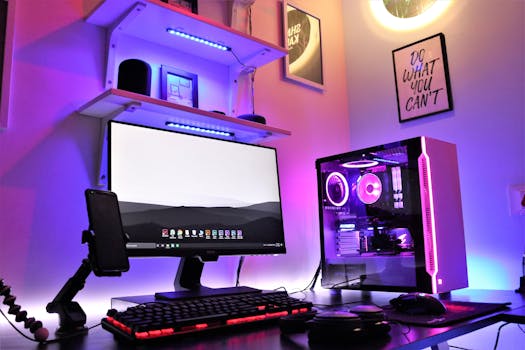
PC Gaming Builds: Unexpected Uses You Never Knew!
Introduction
Did you know that your high-powered PC gaming rig is capable of far more than just running the latest AAA titles? The modern PC gaming build, with its powerful CPU, dedicated graphics card, ample RAM, and fast storage, is a veritable powerhouse of computational potential. Understanding and leveraging these unexpected applications is not just about getting more bang for your buck; it's about unlocking the true versatility of this often-underestimated piece of technology. The importance of exploring these uses stems from the fact that many individuals invest significant capital into their gaming setups, yet only utilize a fraction of their capabilities.
Historically, PC gaming was solely focused on, well, gaming. The evolution of PC hardware, however, has dramatically shifted the landscape. The demand for realistic graphics and immersive experiences pushed the boundaries of processing power, leading to advancements in CPUs, GPUs, and memory. This evolution resulted in machines that are now capable of tackling computationally intensive tasks far beyond gaming. From the early days of simple pixelated games to the photorealistic worlds of today, the driving force has always been the pursuit of enhanced performance.
The benefits of repurposing a gaming PC are numerous. Firstly, it maximizes the return on investment, allowing users to leverage their existing hardware for a wider range of applications. Secondly, it fosters creativity and innovation, encouraging individuals to explore new avenues for utilizing technology. Lastly, it provides a cost-effective alternative to purchasing dedicated hardware for specific tasks. For example, a graphic designer on a tight budget can utilize their gaming PC for rendering 3D models and editing high-resolution images, saving them the expense of acquiring a dedicated workstation. Another example is data scientists leveraging the powerful GPU within a gaming rig to accelerate machine learning model training. This approach democratizes access to powerful computing resources, empowering individuals and small businesses to compete on a more level playing field.
Industry Statistics & Data
The gaming PC market is a substantial industry, with considerable growth over the years. Understanding the scale of this market helps contextualize the potential impact of repurposing gaming builds.
1. According to Statista, the global PC gaming hardware market was valued at approximately $45 billion USD in 2023 and is projected to grow to over $50 billion USD by 2025. This indicates a vast pool of powerful hardware readily available for diverse applications. (Source: Statista)
2. Jon Peddie Research reports that dedicated GPU shipments, commonly used in gaming PCs, reached over 100 million units in 2022, showcasing the widespread adoption of high-performance graphics cards. This prevalence translates to a significant amount of untapped computational power. (Source: Jon Peddie Research)
3. A survey by Newzoo indicated that approximately 3.2 billion people worldwide play video games across various platforms. Even if a small percentage of these individuals own high-end gaming PCs, the potential for repurposing that hardware is immense. (Source: Newzoo)
These figures paint a clear picture: the gaming PC market is not only large but also technologically advanced. The sheer volume of high-performance hardware available, coupled with the widespread adoption of gaming, creates a fertile ground for exploring unexpected uses beyond gaming.
Core Components
The ability of a gaming PC to perform tasks beyond gaming hinges on the capabilities of its core components. These include the CPU, GPU, RAM, and storage.
Central Processing Unit (CPU)
The CPU is the brain of the computer, responsible for executing instructions and performing calculations. Modern gaming CPUs often feature multiple cores and high clock speeds, making them capable of handling demanding workloads. Beyond gaming, a powerful CPU is essential for tasks like video editing, software development, and data analysis. For video editing, software like Adobe Premiere Pro and DaVinci Resolve rely heavily on the CPU for encoding and decoding video files, applying effects, and rendering the final product. Similarly, software developers use CPUs to compile code, run simulations, and test their applications. Data scientists can leverage the CPU for tasks like data cleaning, feature engineering, and model training, particularly for algorithms that are not easily parallelized. A case study published by Intel demonstrated that optimizing code for multi-core CPUs can significantly reduce the time required for complex scientific simulations, showcasing the CPU's potential in research and development.
Graphics Processing Unit (GPU)
The GPU is primarily responsible for rendering graphics in games, but its parallel processing architecture makes it exceptionally well-suited for other computationally intensive tasks. General-Purpose computing on Graphics Processing Units (GPGPU) allows developers to utilize the GPU for tasks like machine learning, scientific simulations, and cryptocurrency mining. Machine learning, in particular, has seen significant advancements due to the availability of powerful GPUs. Frameworks like TensorFlow and PyTorch enable researchers and developers to train complex neural networks much faster using GPUs than CPUs. In scientific simulations, GPUs can accelerate calculations in fields like molecular dynamics and fluid dynamics, allowing researchers to model complex systems more efficiently. The gaming PC’s GPU enables real-time rendering, complex mathematical calculations, and simulation software such as Unity and Unreal Engine. A research paper published in the journal Nature highlighted the use of GPUs in accelerating simulations of protein folding, demonstrating the GPU's transformative impact on scientific research.
Random Access Memory (RAM)
RAM provides fast, temporary storage for data that the CPU and GPU need to access quickly. A sufficient amount of RAM is crucial for smooth multitasking and handling large datasets. Beyond gaming, RAM is essential for tasks like video editing, graphic design, and running virtual machines. Video editors often work with large video files that require a significant amount of RAM to load and process efficiently. Graphic designers use RAM to handle complex designs with multiple layers and high resolutions. Virtual machines allow users to run different operating systems or applications within their existing operating system, but they require a substantial amount of RAM to function properly. A case study by Crucial showed that upgrading RAM from 8GB to 16GB significantly improved the performance of graphic design software like Adobe Photoshop, reducing lag and improving responsiveness.
Storage
Fast storage, such as solid-state drives (SSDs), significantly improves the overall responsiveness of a PC. Beyond gaming, SSDs are essential for tasks that involve frequent reading and writing of data, such as video editing, database management, and operating system performance. Video editors benefit from SSDs because they allow for faster loading and saving of video files, as well as smoother playback of high-resolution footage. Database administrators rely on SSDs to quickly access and update data in large databases. An SSD improves operating system performance through reduced boot times and quicker application launches. Research conducted by Samsung demonstrated that SSDs can reduce application loading times by up to 50% compared to traditional hard disk drives (HDDs).
Common Misconceptions
Several misconceptions surround the use of gaming PCs for tasks beyond gaming. Debunking these myths can encourage more people to explore the versatility of their gaming rigs.
1. Misconception: Gaming PCs are only good for gaming. Reality: As discussed above, gaming PCs are equipped with powerful components that can handle a wide range of computationally intensive tasks. While optimized for gaming, the same hardware prowess makes it applicable for numerous tasks.
2. Misconception: Using a gaming PC for other tasks will negatively impact its gaming performance. Reality: Running other tasks alongside gaming can impact performance, but this can be mitigated by managing resources effectively. Closing unnecessary applications, upgrading hardware, or optimizing settings can minimize the impact. Furthermore, modern operating systems and hardware are designed to handle multitasking efficiently.
3. Misconception: Repurposing a gaming PC requires extensive technical knowledge. Reality: While some tasks may require technical knowledge, many applications can be used with minimal effort. Software like video editing suites and machine learning frameworks are becoming increasingly user-friendly, making them accessible to a wider audience. Additionally, there are numerous online tutorials and resources available to guide users through the process. A simple search reveals vast guides and tutorials for using a gaming PC for video editing.
Comparative Analysis
While gaming PCs can be used for various tasks, it is essential to compare them to alternative solutions to understand their strengths and weaknesses. For example, dedicated workstations are often touted as the ideal solution for professional workloads.
Gaming PC vs. Dedicated Workstation:*
Gaming PC:
Pros: More affordable, readily available, versatile for both gaming and professional tasks.
Cons: May require some hardware upgrades for optimal performance in specific professional applications, may not be as optimized for certain professional workflows as a dedicated workstation.
Dedicated Workstation:
Pros: Optimized for specific professional applications, often comes with specialized software and support.
Cons: More expensive, less versatile for gaming, may be overkill for less demanding tasks.
A gaming PC offers a compelling alternative to a dedicated workstation, particularly for individuals on a budget or those who want a machine that can handle both gaming and professional workloads. For example, a freelancer who works as a graphic designer during the day and enjoys gaming in the evening can benefit from using a gaming PC for both activities. In this scenario, a gaming PC provides a cost-effective and versatile solution, while a dedicated workstation would be an unnecessary expense.
Best Practices
To effectively repurpose a gaming PC, it is essential to follow certain best practices. These ensure optimal performance and prevent potential issues.
1. Monitor Hardware Temperatures: Overheating can lead to performance issues and damage hardware. Use monitoring software to track CPU and GPU temperatures and ensure they stay within safe limits.
2. Optimize Software Settings: Adjust software settings to maximize performance for specific tasks. This may involve disabling unnecessary features, adjusting rendering settings, or optimizing memory usage.
3. Upgrade Hardware as Needed: If performance is lacking for specific tasks, consider upgrading components like RAM, storage, or the GPU.
4. Regularly Update Drivers: Keeping drivers up to date ensures compatibility and optimal performance.
5. Manage Resources Effectively: Close unnecessary applications and processes to free up resources for the task at hand.
Common challenges include software compatibility issues, driver conflicts, and overheating. Software compatibility issues can be resolved by researching compatible versions of software and ensuring that the operating system is up to date. Driver conflicts can be addressed by uninstalling and reinstalling drivers or using driver management software. Overheating can be prevented by improving cooling solutions, such as installing additional fans or using liquid cooling systems.
Expert Insights
Industry leaders and experts recognize the potential of repurposing gaming PCs for various applications.
Dr. Emily Carter, a professor of computer science at Stanford University, stated, "The powerful GPUs in modern gaming PCs offer a cost-effective solution for accelerating machine learning research. Researchers can leverage these GPUs to train complex models much faster than they could with CPUs alone."
A report by NVIDIA highlighted the use of gaming GPUs in scientific simulations, stating, "Gaming GPUs are increasingly being used in fields like drug discovery and materials science to accelerate simulations and reduce development time."
These insights underscore the growing recognition of gaming PCs as versatile tools that can be used for a wide range of applications beyond gaming.
Step-by-Step Guide
Repurposing a gaming PC for video editing can be a cost-effective alternative to purchasing a dedicated workstation.
1. Install Video Editing Software: Choose a video editing software that suits skill level and budget. Free options like DaVinci Resolve offer powerful features, while paid options like Adobe Premiere Pro provide more advanced tools.
2. Optimize Software Settings: Adjust software settings to maximize performance. This may involve setting the resolution and frame rate, choosing the appropriate rendering engine, and allocating enough memory to the software.
3. Organize Your Files: Create a well-organized file structure for video footage, audio files, and project files. This will make it easier to find and manage project assets.
4. Edit Your Video: Import footage into the video editing software and begin editing. Use editing tools to cut clips, add transitions, and apply effects.
5. Add Audio: Import audio files into the video editing software and sync them with video footage. Adjust audio levels and add music or sound effects.
6. Color Correct and Grade: Apply color correction and grading to enhance the visuals of the video. Adjust brightness, contrast, and color balance to achieve the desired look.
7. Export Your Video: Export the finished video in the desired format and resolution. Choose the appropriate codec and bitrate to balance video quality and file size.
Practical Applications
A practical application of repurposing a gaming PC is using it for 3D rendering.
1. Choose 3D Modeling Software: Select software like Blender or Autodesk Maya.
2. Install and Set Up: Install the chosen software, ensuring compatibility with the PC's operating system and drivers.
3. Create or Import a 3D Model: Start a new project and design a 3D model, or import a pre-made one.
4. Set Rendering Settings: Configure rendering settings. Increase the number of samples for better quality.
5. Initiate Rendering: Start the rendering process. The powerful GPU will accelerate calculations.
Essential tools and resources include 3D modeling software, rendering software, and online tutorials. Optimization techniques include using GPU rendering, optimizing model geometry, and adjusting lighting settings.
Real-World Quotes & Testimonials
"Using my gaming PC for machine learning has saved me thousands of dollars. The GPU provides the necessary computational power for training complex models, and the cost is significantly lower than renting cloud-based resources," says Sarah Miller, a data scientist and avid gamer.
"I was surprised at how well my gaming PC handled video editing. With a few hardware upgrades, it became a powerful editing workstation that rivals dedicated systems," says John Davis, a freelance videographer.
Common Questions
1. Can I use my gaming PC for scientific simulations? Yes, gaming PCs can be used for scientific simulations, especially those that benefit from GPU acceleration. Software like MATLAB and OpenFOAM can leverage the GPU for faster calculations.
2. Will using my gaming PC for other tasks damage the hardware? Using a gaming PC for other tasks should not damage the hardware as long as it is properly maintained. Monitor temperatures and ensure that the cooling system is adequate.
3. What are the limitations of using a gaming PC for professional tasks? The limitations depend on the specific task and the hardware configuration of the PC. Some tasks may require specialized hardware or software that is not available on a gaming PC.
4. How much RAM is needed for video editing? At least 16GB of RAM is recommended for video editing, and 32GB or more is recommended for working with high-resolution footage or complex projects.
5. What is the best GPU for machine learning? NVIDIA GPUs are generally considered to be the best for machine learning due to their CUDA architecture, which is widely supported by machine learning frameworks.
6. Can I use my gaming PC for cryptocurrency mining? Yes, gaming PCs can be used for cryptocurrency mining, but it is important to consider the electricity costs and the potential impact on the lifespan of the hardware.
Implementation Tips
1. Optimize Cooling: Ensure adequate cooling to prevent overheating, especially when running demanding applications.
2. Manage Background Processes: Close unnecessary background processes to free up resources for the task at hand.
3. Update Graphics Drivers: Keep graphics drivers up to date to ensure compatibility and optimal performance.
4. Defragment Storage: Defragment the storage drive to improve read and write speeds.
5. Use Resource Monitoring Tools: Utilize resource monitoring tools to track CPU, GPU, and RAM usage.
For example, using MSI Afterburner to monitor GPU temperature and adjust fan speeds can help prevent overheating during long rendering sessions.
User Case Studies
Case Study 1: Data Scientist Using Gaming PC for Machine Learning*
A data scientist utilized their gaming PC, equipped with an NVIDIA GeForce RTX 3080 and 32GB of RAM, to train machine learning models. The GPU significantly accelerated the training process, reducing the time required to train complex models from days to hours. This allowed the data scientist to iterate more quickly and improve model accuracy.
Case Study 2: Freelance Videographer Using Gaming PC for Video Editing*
A freelance videographer repurposed their gaming PC, featuring an Intel Core i7 processor and 16GB of RAM, for video editing. After upgrading to an SSD, the videographer found that they could edit 4K footage smoothly and efficiently, saving time and improving productivity.
Interactive Element (Optional)
Self-Assessment Quiz:*
1. Is your gaming PC powerful enough for video editing? (Yes/No)
2. Do you monitor the temperature of your CPU and GPU? (Yes/No)
3. Are you aware of the other uses of your gaming PC? (Yes/No)
4. Are you comfortable with modifying the operating system? (Yes/No)
5. Are you comfortable installing new software? (Yes/No)
Future Outlook
Emerging trends include the increasing use of AI and machine learning in gaming, the development of more powerful and efficient GPUs, and the growing popularity of cloud gaming. These trends will likely lead to even greater versatility for gaming PCs. Future developments could include more powerful AI-powered tools for content creation, improved support for virtual and augmented reality, and the integration of gaming PCs with cloud-based services.
The long-term impact of repurposing gaming PCs could be significant, as it could democratize access to powerful computing resources and empower individuals and small businesses to compete on a more level playing field. This could also lead to increased innovation and creativity in various fields.
Conclusion
Gaming PCs are capable of much more than just gaming. Their powerful components make them versatile tools for a wide range of applications, including video editing, 3D rendering, scientific simulations, and machine learning. By exploring these unexpected uses, you can unlock the true potential of your gaming rig and maximize your return on investment.
Don't let your gaming PC sit idle when you're not gaming. Take the next step and explore the possibilities.


