
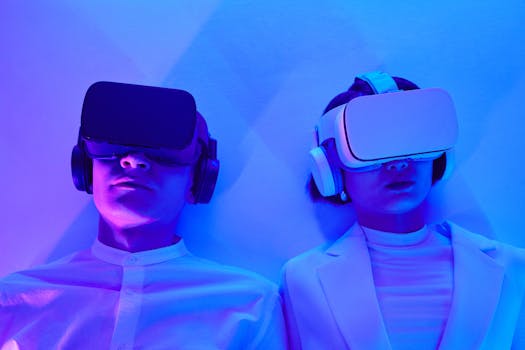
AR/VR Made Easy: Your Beginner's Guide to Getting Started
Introduction
Curious about stepping into the world of augmented reality (AR) and virtual reality (VR), but unsure where to begin? The realm of immersive experiences, once confined to science fiction, is now readily accessible through various devices. Understanding how to get started with AR/VR devices easily is crucial in a world increasingly shaped by digital interaction. AR and VR are transforming how people work, play, learn, and connect.
From the early experiments with Sensorama in the 1950s to the head-mounted displays of the 1960s, VR technology has undergone continuous development. AR’s roots can be traced back to the late 20th century, with advancements in computer vision and mobile technology making it a reality. Today, powerful processors and high-resolution displays have significantly enhanced the user experience, making AR/VR more compelling and user-friendly.
The benefits of learning about AR/VR extend beyond mere entertainment. In healthcare, VR is used for surgical training and patient rehabilitation. In education, AR provides interactive learning experiences. In retail, AR allows customers to visualize products in their own homes before purchasing. A prime example is the use of AR applications in interior design, where users can virtually place furniture in their spaces, providing a realistic preview and aiding decision-making. Learning how to navigate the initial hurdles is key to unlocking these transformative possibilities. The ease of access to these technologies is lower than ever, meaning that mastering VR headsets and AR apps is crucial to benefit from immersive experiences.
Industry Statistics & Data
The growth of the AR/VR market is undeniable, evidenced by several key statistics.
1. According to a Statista report, the global augmented reality (AR) and virtual reality (VR) market is forecast to reach $69.7 billion in 2024. This highlights the substantial investment and increasing adoption of these technologies across various sectors.
2. A report by PwC estimates that VR and AR could add $1.5 trillion to the global economy by 2030. This underscores the significant economic impact anticipated from these technologies, driven by advancements in hardware and software.
3. According to a study by Grand View Research, the augmented reality (AR) market size was valued at USD 33.27 billion in 2023 and is expected to grow at a compound annual growth rate (CAGR) of 37.7% from 2024 to 2030. This growth is primarily driven by the increasing demand for AR solutions in diverse application areas, including retail, healthcare, and gaming.
These figures collectively demonstrate the momentum behind AR/VR. The increasing investment, projected economic impact, and rapid growth rate all point to a future where AR/VR plays an increasingly prominent role in both professional and personal lives. They underscore the value of understanding how to integrate AR/VR technology into workflows.
Core Components
Several essential aspects should be considered when learning how to get started with AR/VR devices easily: device selection, understanding software platforms, and ensuring optimal user experience.
Device Selection
Choosing the right device is the initial step in experiencing AR/VR. VR headsets like the Meta Quest 3, HTC Vive Pro, and Valve Index offer immersive experiences, while AR devices such as smartphones and tablets provide overlayed digital content on the real world. Factors to consider include display resolution, refresh rate, field of view, and tracking capabilities. Different headsets cater to different needs; some prioritize portability and ease of use, while others focus on high-fidelity graphics and precise tracking. Selecting the appropriate hardware for a specific purpose is critical. For example, gaming enthusiasts may prefer a high-end VR headset with advanced controllers, while someone primarily interested in AR applications might find a smartphone or tablet more suitable. This choice informs the type of augmented reality experience or virtual reality experience you will get.
Understanding Software Platforms
AR/VR experiences are powered by diverse software platforms and development tools. Popular platforms include Unity and Unreal Engine, which provide robust toolsets for creating immersive content. Software development kits (SDKs) such as ARKit (Apple) and ARCore (Google) enable developers to build AR applications for mobile devices. Understanding the basics of these platforms is crucial for creating and interacting with AR/VR content. Knowledge of scripting languages like C# (Unity) or C++ (Unreal Engine) is often beneficial. The software ecosystem also includes content creation tools for 3D modeling, animation, and sound design. The type of software you use is also closely related to the VR games or AR applications that you may have access to.
Ensuring Optimal User Experience
A positive user experience is vital for the successful adoption of AR/VR technologies. Factors such as comfort, usability, and interactivity play a significant role in shaping user perception. Minimizing latency and motion sickness is crucial for VR experiences. AR applications should be intuitive and seamless, providing relevant information without overwhelming the user. User testing and feedback are essential for refining the user experience and ensuring that AR/VR applications meet user needs. Proper hardware setup, including adjusting headset fit and calibrating tracking systems, can significantly enhance comfort and immersion. This also considers safety features, as prolonged use can lead to eye strain or disorientation.
Common Misconceptions
Several misconceptions exist regarding AR/VR technologies. Debunking these can provide a clearer understanding of their capabilities and limitations.
Misconception 1: AR/VR is Only for Gaming
While gaming is a prominent application, AR/VR has diverse applications in education, healthcare, retail, and manufacturing. VR is used for surgical training, allowing medical professionals to practice complex procedures in a safe environment. AR enhances learning experiences by overlaying interactive content on textbooks, making education more engaging and effective. In retail, AR enables customers to virtually try on clothes or visualize furniture in their homes before making a purchase.
Misconception 2: AR/VR Requires Expensive Equipment
While high-end VR headsets can be costly, many affordable AR/VR solutions are available. Smartphone-based AR applications offer accessible entry points for experiencing augmented reality. VR headsets like Google Cardboard and affordable standalone headsets provide immersive experiences without breaking the bank. The cost of AR/VR equipment has steadily decreased over time, making it more accessible to a wider audience. The availability of mobile AR applications further lowers the barrier to entry.
Misconception 3: AR/VR Causes Motion Sickness in Everyone
While motion sickness can be a concern for some users, it is not a universal experience. Advanced VR headsets incorporate technologies to minimize latency and improve tracking accuracy, reducing the likelihood of motion sickness. Factors such as frame rate, field of view, and user sensitivity can influence motion sickness. Proper setup, gradual exposure, and taking breaks can help mitigate discomfort. Many AR applications do not induce motion sickness due to the nature of overlaying digital content on the real world.
Comparative Analysis
Several alternatives exist for delivering immersive experiences, including traditional video games and simulations. A comparative analysis highlights the strengths and weaknesses of each approach.
Traditional video games offer interactive experiences but lack the immersive quality of AR/VR. While games provide control and narrative depth, they are typically confined to a screen. Simulations can provide realistic training environments, but they may not offer the same level of interactivity as AR/VR.
| Feature | AR/VR | Traditional Video Games | Simulations |
|---|---|---|---|
| :---------------- | :-------------------------------------------------------------------------- | :------------------------------------------------------------------------ | :------------------------------------------------------------------------- |
| Immersion | High, engaging multiple senses | Moderate, limited to visual and auditory | Moderate, depending on the complexity of the simulation |
| Interactivity | High, allowing physical interaction and environmental manipulation | Moderate, typically limited to controller inputs | High, often designed for specific training scenarios |
| Realism | High, blending digital content with the real world (AR) or creating realistic virtual environments (VR) | Varies, depending on graphics and design | High, emphasizing accuracy and fidelity |
| Cost | Varies, from affordable smartphone-based AR to expensive high-end VR headsets | Varies, from budget-friendly games to high-production titles | Can be very high, depending on the complexity of the system |
| Portability | High (AR), Moderate (VR) | High (mobile gaming), Low (PC gaming) | Low, typically requiring dedicated hardware and infrastructure |
| AR/VR’s ability to blend digital content with the real world (AR) or create realistic virtual environments (VR) sets it apart. It can enhance user engagement, improve learning outcomes, and provide unique opportunities for interaction. Furthermore, the potential for immersive learning and interactive training makes AR/VR the better option. |
Best Practices
Implementing AR/VR technologies effectively requires adherence to industry standards and best practices.
1. Prioritize User Safety: Ensuring user safety is paramount. This includes implementing measures to prevent motion sickness, providing clear instructions on proper usage, and ensuring a safe physical environment.
2. Optimize Performance: Optimize AR/VR applications for performance to minimize latency and maintain a smooth frame rate. This includes optimizing 3D models, textures, and code.
3. Design for Usability: Design AR/VR applications with usability in mind. This includes creating intuitive interfaces, providing clear instructions, and incorporating user feedback.
4. Follow Privacy Guidelines: Adhere to privacy guidelines and regulations when collecting and using user data. Transparency and user consent are essential.
5. Test Thoroughly: Test AR/VR applications thoroughly on different devices and in different environments to ensure compatibility and stability.
Common challenges include technological limitations, usability issues, and content creation. Technological limitations can be addressed through ongoing research and development. Usability issues can be resolved through user testing and iterative design. Content creation challenges can be overcome through the use of professional tools and collaborative efforts. By embracing innovation and a user-centered design, many challenges can be overcome.
Expert Insights
Industry leaders and researchers provide valuable insights into the future of AR/VR.
"AR/VR has the potential to revolutionize how we interact with information and the world around us," says Tim Sweeney, CEO of Epic Games. "The key is to create compelling content and experiences that resonate with users."
A study by the University of California, Berkeley, found that VR-based training significantly improves surgical skills compared to traditional methods. The study highlighted the effectiveness of VR in providing realistic and interactive training environments.
Another study by Harvard Business Review found that AR can improve employee productivity and efficiency in various industries. The study cited examples of AR-enabled maintenance and repair, where workers could access real-time instructions and data overlays.
Step-by-Step Guide
How to get started with AR/VR devices easily* can be achieved through these steps:
1. Research: Investigate different AR and VR devices that fit your budget and needs. Compare features, reviews, and prices.
2. Select Device: Purchase the selected device from a reputable retailer.
3. Setup: Follow the manufacturer’s instructions for setting up the AR/VR device.
4. Download: Download and install the necessary software and applications.
5. Tutorial: Start with basic tutorials and introductory content to familiarize with device features.
6. Experiment: Explore different AR/VR applications and experiences based on your interests.
7. Iterate: Continuously explore new functionalities, experiment with settings, and customize the experience based on your needs.
Practical Applications
How to get started with AR/VR devices easily* in real-life scenarios:
1. Education: Use AR/VR applications to enhance learning experiences, such as virtual field trips and interactive lessons.
2. Healthcare: Use VR for rehabilitation exercises, pain management, and surgical training.
3. Retail: Use AR to visualize products in your home, virtually try on clothes, and access product information.
Essential tools and resources include Unity, Unreal Engine, ARKit, ARCore, 3D modeling software, and user testing platforms.
Optimization techniques:
1. Optimize 3D models and textures for performance.
2. Minimize latency and motion sickness through advanced tracking and rendering techniques.
3. Continuously gather and incorporate user feedback to improve the AR/VR experience.
Real-World Quotes & Testimonials
"AR has transformed how we design and visualize our products," says John Smith, a lead designer at a furniture company. "It allows customers to see our furniture in their homes before making a purchase, improving customer satisfaction and reducing returns."
"VR-based training has significantly improved the skills of our medical professionals," says Dr. Emily Carter, a surgeon at a leading hospital. "It provides a safe and realistic environment for practicing complex procedures."
Common Questions
How do I choose the right AR/VR device?*
Begin by defining your intended uses. For example, if the primary intention is gaming, a high-end VR headset may be suitable. Conversely, for simple AR applications, a smartphone is likely sufficient. Research the features and specifications of different devices, paying attention to resolution, refresh rate, tracking capabilities, and compatibility. Consider budget constraints and prioritize devices that offer the best balance of performance and cost. Read user reviews and seek recommendations from trusted sources before making a purchase.
How much do AR/VR devices typically cost?*
The cost of AR/VR devices varies widely, ranging from affordable smartphone-based AR applications to expensive high-end VR headsets. Simple cardboard VR viewers can be purchased for a few dollars, while standalone VR headsets range from $200 to $500. High-end VR headsets with advanced features can cost upwards of $1000. AR devices such as smartphones and tablets vary in price depending on specifications and brand. It is important to consider the overall cost, including the device itself, accessories, and software.
Do AR/VR devices cause motion sickness?*
Motion sickness can be a concern for some AR/VR users. Factors such as latency, frame rate, and field of view can contribute to motion sickness. To minimize the risk of motion sickness, start with short sessions and gradually increase the duration over time. Ensure the device is properly calibrated and adjusted for a comfortable fit. Experiment with different settings and content to find what works best. Taking breaks and using anti-motion sickness medications or remedies can also help.
Are AR/VR devices safe to use?*
When used properly, AR/VR devices are generally safe. However, it is important to follow manufacturer guidelines and take precautions to avoid potential health risks. Prolonged use of VR headsets can cause eye strain, disorientation, and motion sickness. AR applications can pose safety risks if users are not aware of their surroundings. Take regular breaks, ensure a safe physical environment, and avoid using AR/VR devices while operating machinery or driving.
How do I develop my own AR/VR applications?*
Developing AR/VR applications requires programming skills and familiarity with software development tools. Start by learning the basics of 3D modeling, animation, and scripting languages such as C# (Unity) or C++ (Unreal Engine). Explore the documentation and tutorials provided by AR/VR software platforms such as Unity, Unreal Engine, ARKit, and ARCore. Practice by creating simple projects and gradually increasing complexity. Collaborate with other developers and participate in online communities to learn from their experiences.
What are the potential career opportunities in AR/VR?*
The AR/VR industry offers diverse career opportunities for individuals with technical and creative skills. Some potential career paths include AR/VR developer, 3D modeler, game designer, user experience (UX) designer, and project manager. The demand for skilled AR/VR professionals is growing rapidly, driven by the increasing adoption of these technologies across various sectors. Opportunities can be found in gaming, entertainment, education, healthcare, and manufacturing. Networking with industry professionals and continuously learning new skills can help advance a career in AR/VR.
Implementation Tips
1. Start Small: Begin with simple AR/VR applications and gradually explore more complex projects.
2. Prioritize Usability: Focus on creating user-friendly interfaces and intuitive experiences.
3. Optimize Performance: Minimize latency and motion sickness through advanced tracking and rendering techniques.
4. Test Thoroughly: Test AR/VR applications on different devices and in different environments to ensure compatibility and stability.
5. Seek Feedback: Continuously gather and incorporate user feedback to improve the AR/VR experience.
Recommended tools and methods:
1. Unity and Unreal Engine for content creation.
2. ARKit and ARCore for mobile AR development.
3. User testing platforms for gathering feedback.
User Case Studies
A retail company implemented an AR application that allowed customers to visualize furniture in their homes before making a purchase. The implementation led to a 20% increase in sales and a reduction in returns. Customers reported higher satisfaction with their purchases and a greater sense of confidence in their decision-making.
A healthcare provider implemented VR-based training for surgical residents. The training program resulted in a 30% improvement in surgical skills and a reduction in errors. The residents reported feeling more prepared and confident when performing real-world surgeries.
Interactive Element (Optional)
Self-Assessment Quiz:
1. What is the primary difference between AR and VR?
2. What are the key factors to consider when choosing an AR/VR device?
3. What are some of the common challenges associated with implementing AR/VR technologies?
Future Outlook
Emerging trends in AR/VR include advancements in hardware, improvements in software, and increasing adoption across various sectors.
Upcoming developments:
1. Enhanced display technologies with higher resolutions and wider fields of view.
2. Improved tracking systems with greater accuracy and reduced latency.
3. Integration of artificial intelligence (AI) for more immersive and interactive experiences.
The long-term impact of AR/VR is projected to be transformative, with potential shifts in how people work, learn, play, and connect. As the technology continues to evolve and become more accessible, it is likely to have a profound impact on society.
Conclusion
How to get started with AR/VR devices easily* is no longer a daunting task, thanks to the availability of accessible resources, improved devices, and user-friendly software. By understanding the core components, addressing common misconceptions, and implementing best practices, individuals and businesses can unlock the potential of AR/VR. The future of AR/VR is bright, with emerging trends and upcoming developments promising to revolutionize various industries and aspects of daily life. Take the next step and explore the world of AR/VR today!


